What is a logo? Why is it important?
A logo is the foundation of a company's communication, which represents the values of the brand, should stand out from the competition and build trust among customers and clients. A well-designed company logo evokes emotions and appropriate associations in potential customers.
Logo versus logotype
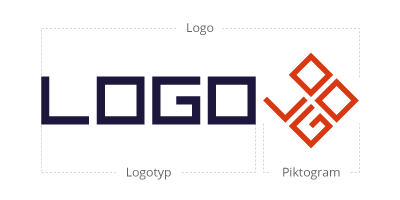
- symbol,
- signet,
- the text itself,
- the combination of all these elements.
The logotype, on the other hand, is the textual part of the logo, i.e. the brand name. When creating a logotype, elements such as the type of typography, the layout of the letters, proportions, spacing and possible modifications of the letters are of paramount importance.
Principles of logo creation
How to create a good logo? The following principles should be followed:
- scalability and versatility,
- timelessness,
- uniqueness,
- compatibility with company values.
Also learn about the other principles of logo creation that affect its perception, readability and professional appearance.
Typography in logos - how to choose fonts?
Designing a company logo requires strategic thinking, as every detail has an impact on the final perception and emotions evoked. One important element to pay attention to when designing a logo is the type of typography. There are 2 types of fonts to choose from:
- sans-serif - symbolises modernity and transparency, and is therefore a great fit for technology startups, IT, banking and health companies;
- with serifs - looks classic and elegant and therefore works well in the luxury goods, furniture and art-related sectors, as well as for shops that sell children's toys made from natural materials.
When designing your logo, use 1-2 types of fonts, as well as their different variations (e.g. italic, medium, bold).
Grid and composition
Colours
Since you want to know the rules for creating a logo, pay attention to the right colour scheme. Be guided by colour psychology and your brand's visual identity.
What are the most popular colours associated with? Here are some examples:
- red - energy, warning, promotions;
- blue - trust, peace, security and modernity;
- green - nature, freshness, relaxation and money;
- black - elegance and luxury.
Choose 2-3 main colours in RGB/HEX for digital applications and CMYK/Pantone for print. Also create a monochrome (with black and grey tones) version of the logo so that it looks aesthetically pleasing on even the simplest printed materials.
Vector vs. raster logos - which to choose for business?
We have prepared a table to help you understand exactly how vector logos differ from raster logos.
| Features | Vector logo | Raster logo |
| Formats | AI, EPS, SVG - infinite scalability. | JPG, PNG - limited quality when enlarged. |
| Applications | Printing, branding, animation, banners, website. | Presentations, Social Media, web materials. |
| Edit | Flexible, without loss of quality. | Difficult because the raster loses focus. |
| Programmes | Illustrator, Affinity Designer, Inkscape. | Photoshop, most online logo creators for free. |
Where to design a logo? In which programme?
When you do not plan to print promotional material and only need a logo for social media and the website, a raster logo may be sufficient. In this case, a free logo creator such as Canva, Looka or Hatchful will help.
Do you want to create a professional logo, adapted to different resolutions? Then logo and brand design requires the use of dedicated tools such as:
- Adobe Illustrator,
- Affinity Designer,
- Inkscape.
With them, you will design not only a logo, but also the entire visual identity of your brand - colours, fonts and logos adapted for mobile devices. Please note that usually logo creators for free do not allow you to create vector graphics.
How do you create a professional company logo yourself? Guide
Use our tutorial to learn how to design your company logo yourself in Adobe Illustrator. Follow the instructions below.
Find inspiration for your logo
Browse through examples of logos that fit your brand. This is a great database of ideas to inspire you when creating your logo. In Illustrator, you can assemble a moodboard directly into your design file - making it easier for you to create a consistent style.
Moodboard is an inspiration board where you collect everything that conveys the mood of your project - colours, fonts, images, textures, logo examples or graphic elements. This makes it easier to define the style and direction of your work, and makes the whole thing coherent and thoughtful.
Look to places like Pinterest, Behance, Dribbble or Logopond for inspiration. There you will find thousands of designs from different industries that will help you understand what you want to communicate with your logo or visual identity.
Sketch a few variations of the logo
Very rarely is the first sketch the final one. So sketch a few variations of the logo by hand in Illustrator. Try different types of fonts, colours or even text layouts.
Start the first selection
Transfer the selected sketches to Illustrator and recreate them using the Pen Tool and grid. At this stage, focus on form and proportion - without colour. This will eliminate overly complex elements.
Take care of the kerning
It's time to kerning the logo - in Illustrator, use the reverse design option. Scale the logo regularly to control its readability. Be sure to check that the font doesn't lose its shape at a lower resolution.
Remove unnecessary elements
Simplify the existing design, as a good logo needs to be easy to read. Also create a dominant element that is most visible - for example, a unique sigil, text in a contrasting colour or a single word in capital letters.
Add colours and create different variations
Choose a palette of 2-3 colours, check out RGB/HEX and CMYK versions, as well as monochrome. You can also create an icon (favicon) in Illustrator, which you can use on your website, among other things.
Prepare file packages
Adobe Illustrator allows the export of files in various sizes and formats, e.g. AI, EPS, SVG, PDF, PNG and JPG. Save logos in formats suitable for vector files.
Good logos - examples
Apple
This is an example of maximum minimalism. The simple shape of the bite-size apple is also instantly recognisable - regardless of language and culture.
Nike
The strength of the Nike logo lies in its simplicity - the dynamic line is immediately associated with movement and energy, which is a perfect fit for a brand associated with sport.
Coca-Cola
Although the Coca-Cola logo is more ornate than most signs, they refer to the brand's history. In this way, the company emphasises the importance of tradition and authenticity.
Google has a good logo that is very simple in terms of form, yet clear and audience-friendly. The vibrant colours also make the logo recognisable on any screen.
Common mistakes when designing a logo
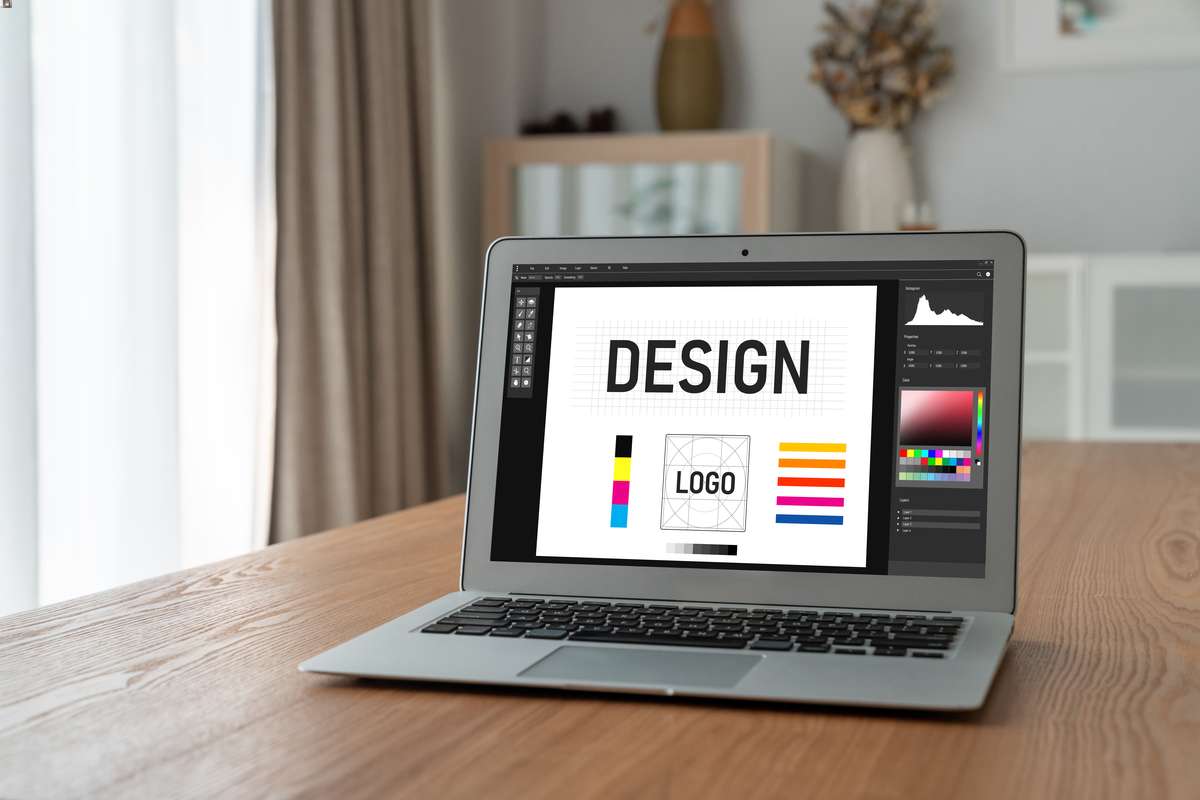
What can you do to design a good logo for your brand? Beware of these mistakes:
- excessive detail - this makes the logo less legible;
- design of a non-scalable logo;
- neglect of kerning - improper spacing between letters makes the text unreadable and the logo does not look professional;
- no monochrome version;
- use of clip-art - this makes the logo not unique.
Corporate identity and logo - how to combine them coherently?
When designing your company's logo, ensure a consistent message by using the colour palette, fonts, style of graphics and icons stored in the brand book. In this way, you will create a logo that is consistent with your brand identity. This will ensure that the brand is identified with professionalism, and you will also increase recognition on social media, company materials and in advertisements.
Rebranding and logo redesign - when is it worth refreshing a logo?
Even global brands like Coca-Cola, Pepsi and Apple are not afraid to rebrand and redesign their logos to be in line with the brand's direction, professed values and trends. Find out when it's worth refreshing your logo:
- changing the company's strategy,
- entering a new market,
- adaptation to mobile devices,
- changing trends,
- negative brand associations,
- lack of a coherent visual identity.
How does a logo influence brand recognition and customer decisions?
A good logo is a signal that the recipient is dealing with a professional brand that pays attention to detail. It also increases brand recognition and builds positive associations. It is important that the logo is aesthetically pleasing, modern, legible and consistent with the corporate identity - such branding can increase conversions. The user identifies such a logo with experience, high quality service and good quality products or services.
Trends in logo design 2025 - what's worth knowing?
When designing your company logo, it's worth considering current trends. In 2025, go for minimalist but distinctive logos that are responsive. Animated and cartoon versions are also a trend in 2025 logo design - they give the brand a youthful feel and emphasise creativity and out-of-the-box action.
Gradients are still in fashion, although they should be used in moderation. Individually designed fonts and hand-drawn letters are also great - the perfect way to stand out from the competition.
How much does a logo cost?
The price for designing a company logo depends on the scale of the project and the tools used. If you want a simple raster logo, you can use a logo creator for free. Another option is to work with a professional. How much does a logo made by an agency cost? A vector version of a logo can cost from £500 to as much as £5,000.
Summary
A good logo is created on the basis of the brand's values, visual identity, industry and characteristics of the target audience. This ensures that the logo is a symbol of the brand and evokes emotions in the audience. It is important that a company's mark is legible, scalable, unique and consistent with the visual identity. It is advisable to use professional help or to prepare the logo in a dedicated tool such as Adobe Illustrator. Then the logo will emphasise the professional image and the brand will gain the trust of customers.
 Polish
  English